• Skip to primary navigation
  • Skip to main content
  • Skip to footer
Community College Northern Inland

Community College Northern Inland

Right where you need us!

  • Barraba
  • Bingara
  • Gunnedah
  • Inverell
  • Moree
  • Narrabri
  • Warialda
  • LEARNER LOGIN
  • ABOUT US
  • COURSES
    • COURSE LIST
    • Qualifications
  • FUNDED PROGRAMS
    • Be Connected
    • Foundation Skills
    • Targeted Skills for Business
    • Tech Savvy Seniors
  • STUDENTS
    • FAQs
    • Information for Students
    • Smart and Skilled
    • Technology Skills Centre
    • Your USI
  • EMPLOYERS
    • Skilling Your Workforce
    • Traineeships
    • VET and Your Business
  • COMMUNITY
    • Empowering Our Communities
    • Our Students
    • Barraba Community News
    • Gwydir News
  • COLLEGE NEWS
You are here: Home / Business and Info Tech Courses
Business & InfoTech Courses Business & InfoTech Workshops
Business & InfoTech Courses

Certificate II in Workplace Skills


The nationally accredited BSB20120 Certificate II in Workplace Skills is an entry level qualification that reflects the day-to-day skills used in businesses across different industries and sectors. This qualification is suited to individuals who have not yet entered the workforce, and are developing the necessary skills in preparation for work.

Learn basic skills and knowledge including:​
  • communication;
  • teamwork;
  • time management;
  • customer service;
  • digital technologies; and
  • workplace safety.
 
Accredited Training
Find Out More

Certificate III in Business


The nationally accredited BSB30120 Certificate III in Business is a qualification that reflects the day-to-day skills used in businesses across different industries and sectors. This course is ideal for people who want to develop strong organisational and communication skills and those who would like to work in a role with a focus on quality customer service.

Develop skills and knowledge including:
  • using organisational skills to keep things running smoothly;
  • providing quality service through clear and professional communication;
  • supporting a variety of business processes; and
  • providing technical advice and support to a team.
 
Accredited Training
Find Out More

Certificate IV in Business


This course will help you advance your career and move into a basic supervisory or management role. Train to work as an office administrator or personal assistant by developing your communication strategies, business relationships, and critical thinking, and building on your digital technologies skills.

The nationally accredited BSB40120 Certificate IV in Business is ideal for people who want to develop strong administrative and operational skills and those who would like to take on a supervisory or leadership role in an office or business administration environment.
  • Apply communication strategies in the workplace within any industry
  • Develop and maintain effective work relationships and networks through relationship building and negotiation skills
  • Use systems and strategies to monitor and review performance, and identify opportunities for improvements
  • Use digital technologies to collaborate in a workplace context and complete business tasks
  • Use critical thinking to evaluate work practices
  • Provide technical advice and support to a team.
Find Out More

Business & InfoTech Workshops

Access Online Services


Access Online Services will provide you with the skills and knowledge to access and manage essential online government services. Learn how to set up, log in and link a service to your myGov account, create and log in to your MyServiceNSW account, download the Service NSW app onto your smartphone and understand and work with QR (quick response) codes.
Find Out More

Customer Service Skills


Customer service skills are the skills necessary to communicate with others, solve problems, demonstrate patience and understanding, ensure customer satisfaction, and resolve customer complaints. In this course students will identify, practise and improve their customer service skills by seeking feedback from customers, managers and colleagues.
Find Out More

Introduction to Microsoft Excel


Microsoft Excel is an industry leading spreadsheet application that enables users to format, organise and calculate data in a spreadsheet. In this course you'll learn how to enter data into a spreadsheet, format the spreadsheet, apply simple and complex formulas and functions to achieve desired results, and create charts and graphs from data entered into a spreadsheet.
Find Out More

Introduction to Microsoft Word


Microsoft Word is a powerful word-processing application that can help anyone create professional-quality documents. In this course you'll learn how to identify, open, create and save files in Word, add images and tables to documents, use Word's formatting tools and functions, access and customise settings in Word, and print and distribute Word files.
Find Out More

Learning to use Zoom


Zoom is an essential video conferencing app that allows you to do more than conduct virtual meetings. In this workshop you will learn how to work, learn, communicate and collaborate remotely with others.
Find Out More

Navigating Microsoft Windows


Windows is an operating system that runs the basic functions of a computer. Every computer has an operating system. In this course you'll learn how to navigate a Windows 10 desktop, start menu, settings, files and applications, work with files, check the security and privacy status of personal computer, and access, download and remove software applications.
Find Out More

Online Safety & Scam Awareness


A scam is a fraudulent activity aimed at stealing your money or identity. The truth is that if you stay careful and alert, and follow a few simple steps to stay safer online, you can minimise your chances of being scammed. During this course you'll learn how to recognise and avoid scams and tricks on the Internet. You'll also learn what to do if you suspect you've been the victim of an online scam.
Find Out More

Skills for Online Learning


Studying online offers convenience and flexibility to work at your own pace wherever you want. But just like face-to-face study, online learning requires a set of skills to ensure you can successfully complete your course. Gain the digital skills you need to confidently use web browsers and search engines, navigate learner portals and conduct research online.
Find Out More

Typing 101


Get guided learning to help you type faster, easier, better!
Whether you're planning to start work or beginning to study, fast and accurate typing skills will be essential to your success. Increasing your typing speed and accuracy by learning to touch type will make you more efficient and productive! Become a master of the keyboard by joining Typing 101—a fun, skill-building class that will help develop your typing skills and confidence in preparation for work or further study.
Find Out More

Tech Savvy Seniors


The Tech Savvy Seniors program provides low-cost or free training so older people can learn to use technology such as computers, tablets and smart phones.

It’s never too late to brush up on your online skills or learn new ways to stay connected with your loved ones. Learning online skills will help you:
  • keep in touch with family and friends;
  • access government, health and other essential services;
  • discover more about the things you love.
Live a life of continuous learning.
Find Out More

What our students say about us

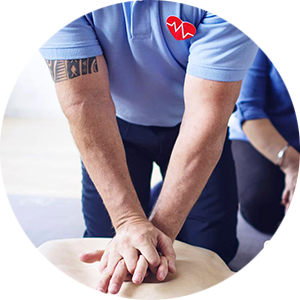
Cardiopulmonary Resuscitation

"Tutor was very friendly, accommodating, knowledgeable and engaging with participants. Information provided was concise and applicable to the course as detailed."

Mary Avery
First Aid HLTAID001—CPR only
Narrabri Community College

First Aid for Early Childhood

"A wonderful trainer with valuable life experience and related skills, who is very passionate and able to share information in a way that students remember."

Rebbeka Rose
Skilling for Recovery—First Aid for Early Childhood
Warialda Community College
Footer

CCNI Logo

Community College Northern Inland
ABN 46 590 341 073   |   RTO 90027
47 Fitzroy Street
PO Box 20
Barraba NSW 2347
Phone (02) 6782 1662
Email info@ccni.nsw.edu.au

Opening Hours

Monday to Friday—9.00am to 5.00pm
Saturday—Closed
Sunday—Closed
Public Holidays—Closed
Check for opening and closing times across campuses
Freecall 1800 952 264

Follow us on FacebookSee us on InstagramConnect with us on LinkedInWatch us on YouTube

Quick Links

Visit the Training Services NSW Website
Visit the Smart & Skilled Website
Visit the Unique Student Identifier (USI) Website
Read Our Policies
Covid 19 Statement


Visit the Barraba Community News Website
Visit the Gwydir News Website

Copyright © 2025 Community College-Northern Inland Inc.